


KeysWalletWatch — encrypted password and secrets manager for Windows
Passwords, private notes, backup codes, API keys and the rest of your secrets — in one encrypted vault on your PC. Sync it to your other devices and share projects with your team, and nobody but you can ever read it. Not even us.
The product's home is keyswalletwatch.com: Download · Pricing · Security · Help center: 15 how-to guides
Keys. Wallet. Watch.
Three things a password manager should do, and the reason this one has the name it has.
Keys
Logins with two-factor codes, backup MFA codes — and for developers, API keys, secrets, SSH keys, certificates, database credentials and whole .env files, organised into projects with environments and expiry dates.
Wallet
Card numbers, ID and license details, answers to security questions — kept as private notes. People and categories so the family's things stay sorted. Notes-only entries for everything that is not a login.
Watch
A security dashboard with a health score: weak, reused and ageing passwords, secrets about to expire, and a breach check against Have I Been Pwned that never sends your password anywhere.
See It in Action
Real screenshots, with sample data. Click any screenshot to enlarge.
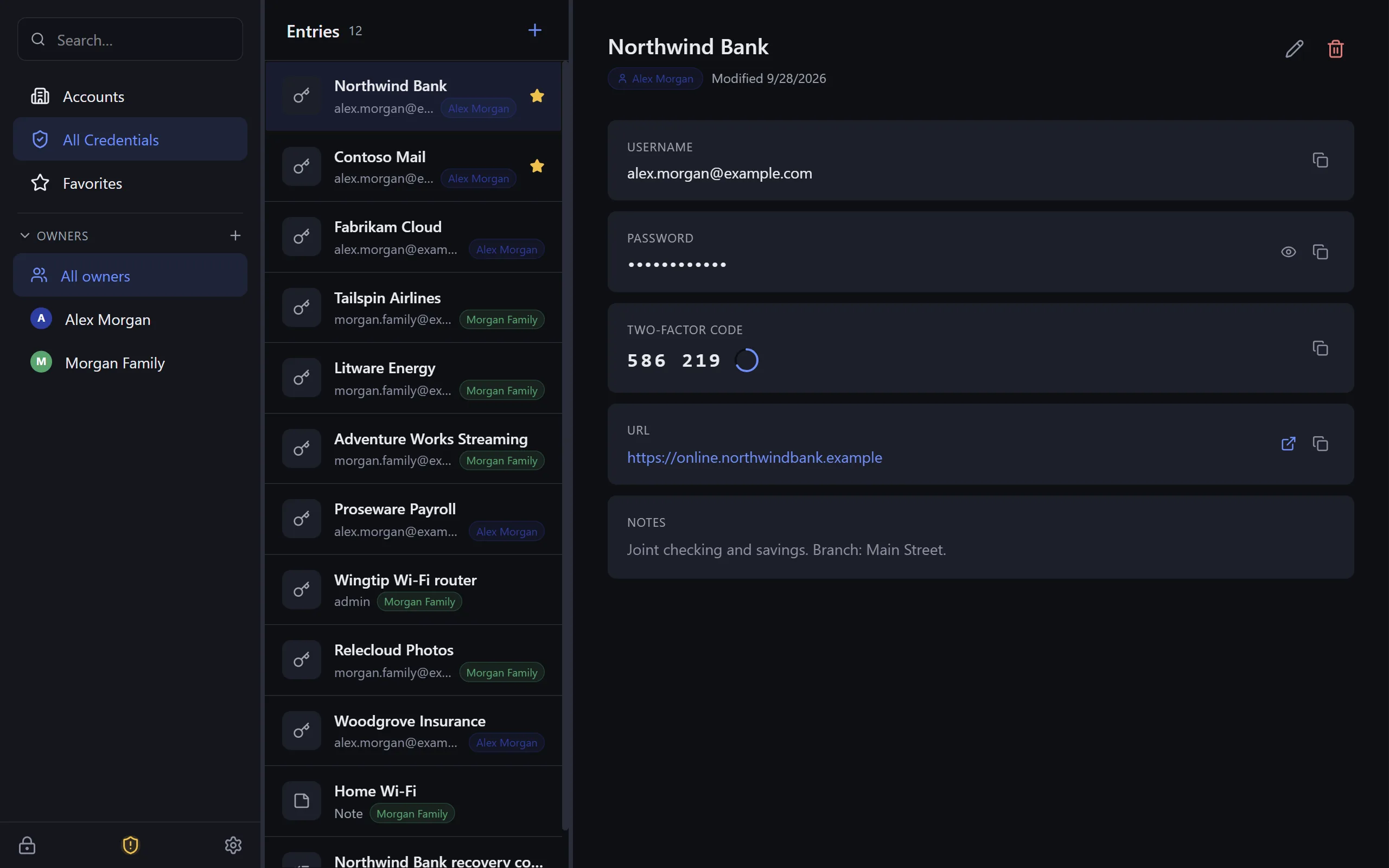 Your vault — logins, two-factor codes, notes
 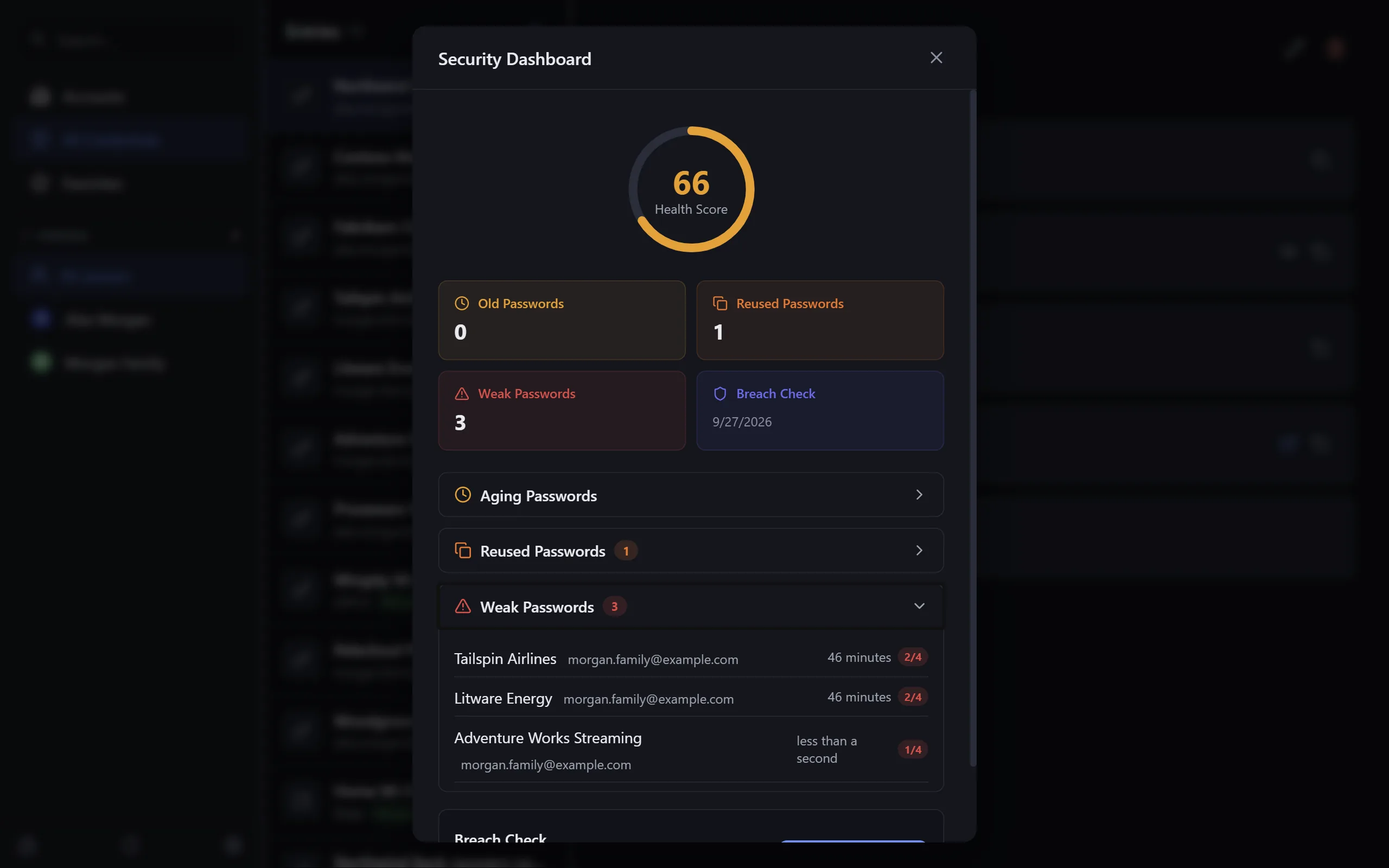 Security dashboard — weak, reused, breached
 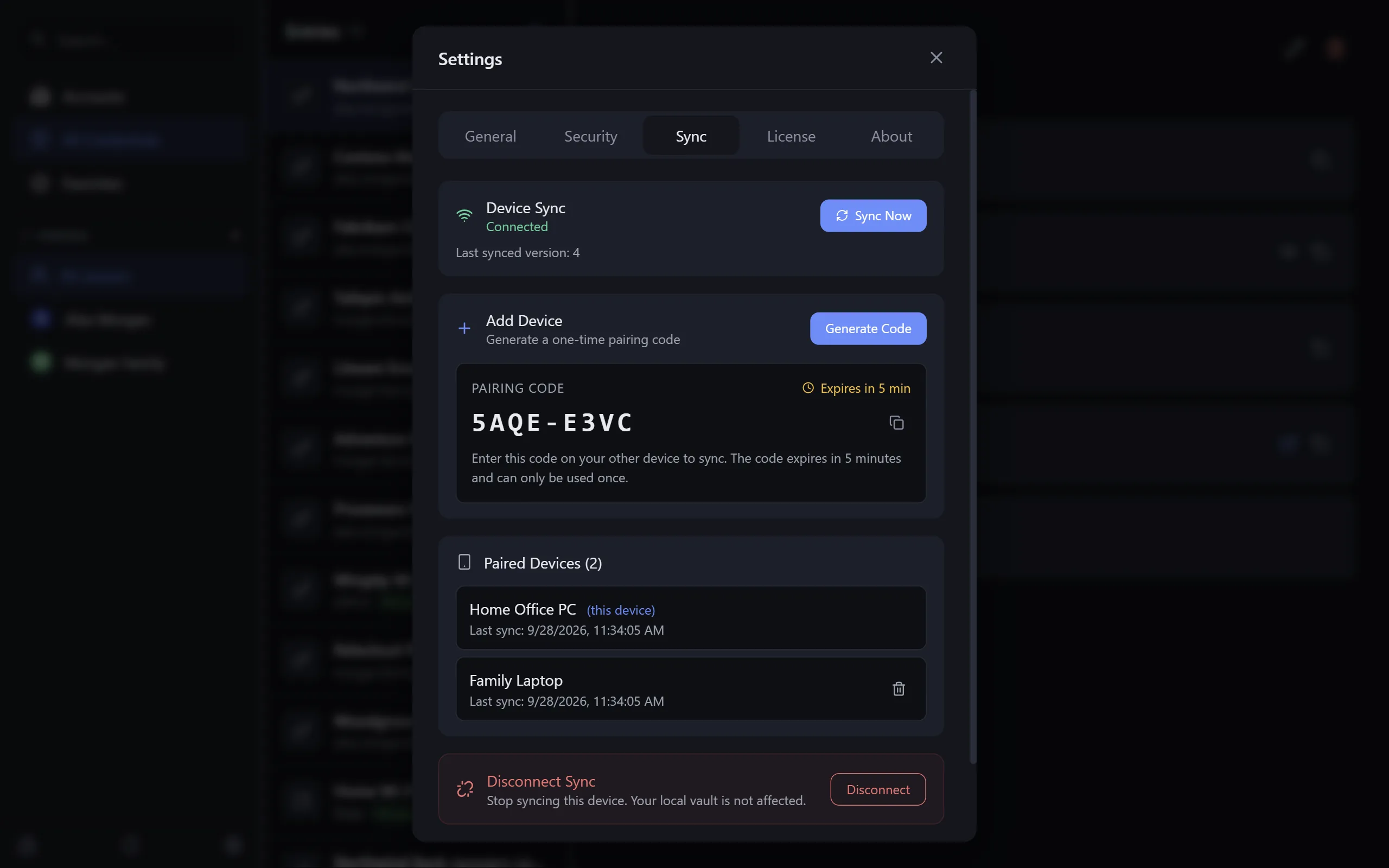 Sync — pair a PC with a one-time code
 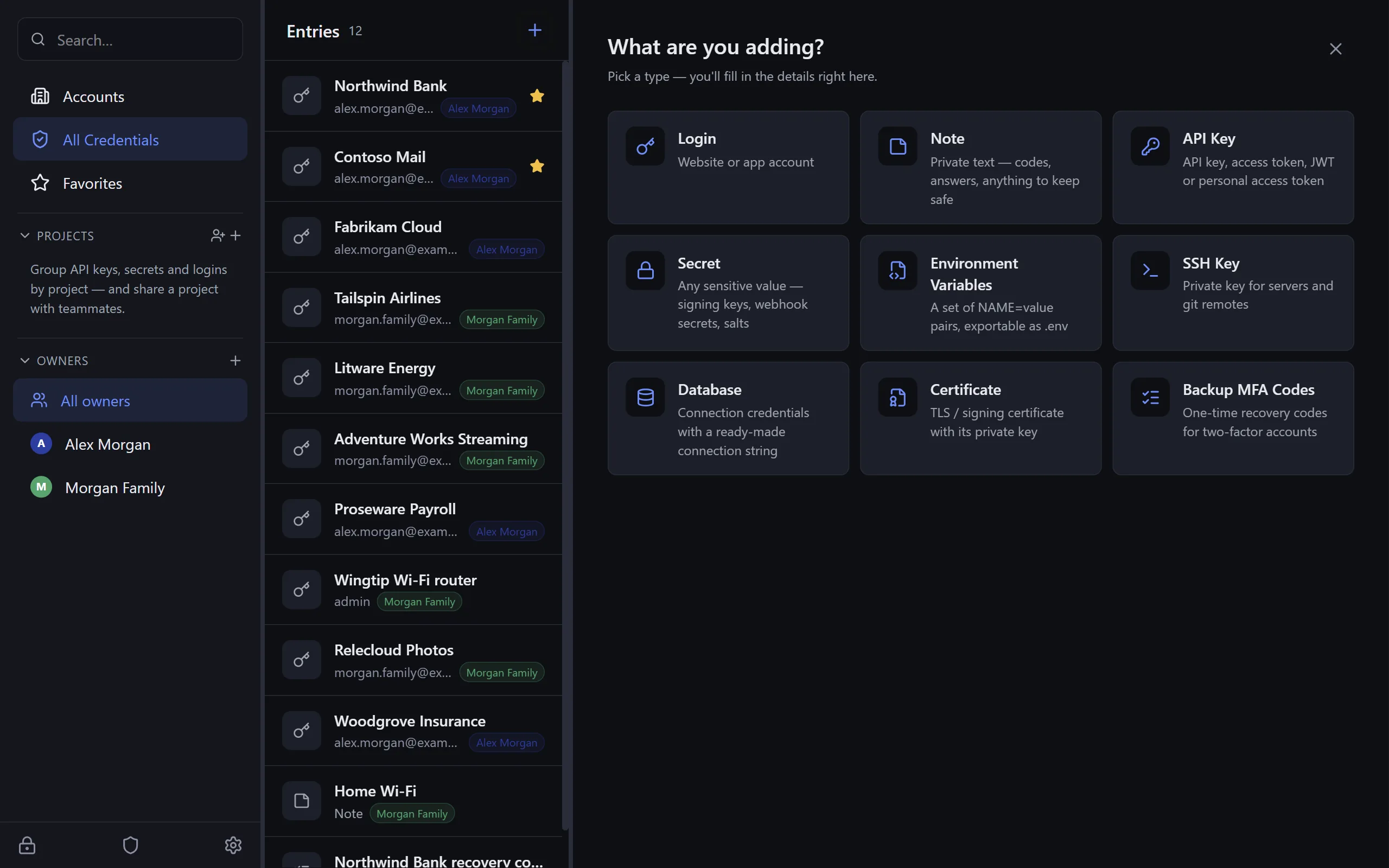 Every kind of secret, one place
 Built the Way a Vault Should Be
Your master password never leaves your PC. Everything else follows from that.
Encrypted on Your PC
Argon2 turns your master password into the key; AES-256-GCM seals the vault. The file is yours — keep it in Documents, on a USB stick, or in your own Dropbox.
Sync That Can't Read You
Optional. The relay stores ciphertext and a version number, nothing else. Every save uploads; a password changed on one device works on the next at first try; conflicts merge entry by entry, never lost.
Share Projects, Not Vaults
Invite someone to a project with a code, read the fingerprint aloud to be sure, give them editor or viewer. Per-project keys, delivered end-to-end encrypted; revoke someone and the key rotates.
Developer Mode
Entry types for API keys, secrets, environment variables, SSH keys, certificates, tokens and endpoints. Paste a .env in; export one per project and environment. Expiring secrets show up on the dashboard.
Security Dashboard
One score for the whole vault. Duplicate and weak passwords, credential age warnings you set yourself, breach checks, and a password history on every entry so a change is never a loss.
Starts Simple, Grows on Request
A guided wizard sets up a vault in a minute with just what you need. Folders, projects, developer types, people and custom categories switch on when you ask for them, not before.
Buy Once. Yours Forever.
$24.99 one-time for up to five computers, every update included. Sync is optional and prepaid — no subscription anywhere.
One payment, yours forever, on up to five computers. Every update included.
- Secure checkout by Stripe
- Key by email within a minute
- Try it free for 30 days first — sales are final
By buying you agree to the KeysWalletWatch terms. All sales are final.
Optional: sync across your devices
Prepaid passes, one payment — pick how many years at checkout (1–10). Attaches to the license under the email you pay with; nothing to enter. Every trial includes sync for 2 vaults, so you can try it before you buy.
Not sure yet? Download the free 30-day trial — everything unlocked, sync for 2 vaults included, no card. Plans and sync pricing in full at keyswalletwatch.com/pricing.
Built With
Frequently Asked Questions
How does the free trial work?
Install KeysWalletWatch and use it. For 30 days everything is unlocked — vaults, developer entries, sharing, and cloud sync for two vaults. When it runs out, your vault stays readable forever; only editing waits for a key. No card, no account. One trial per PC.
What does it cost?
A one-time $24.99. No subscription. One key covers up to five computers, and you can move seats between machines yourself from the app or from your license page.
Is it really mine forever?
Yes. The license never expires and every update we ever release is included. Nothing to renew.
What is a sync pass, and do I need one?
Only if you want the same vault on more than one device. Sync is an optional prepaid pass — $12 a year for up to 2 vaults, $24 for 6 (Family), $48 for 15 (Team) — paid once for as many years as you choose. Without it, KeysWalletWatch is a complete, offline password manager on one PC. Your trial includes sync for 2 vaults so you can see it work first.
Can Beckham Enterprises read my passwords?
No. Your vault is encrypted on your PC with a key derived from your master password (Argon2 + AES-256-GCM). The sync relay only ever stores ciphertext and version numbers — it holds nothing that can decrypt a vault, and neither do we. Shared projects use per-project keys delivered end-to-end encrypted to each member.
What happens if I forget my master password?
There is no reset — that is the point of the design. Set up the recovery key when the wizard offers it and keep it somewhere safe; it is the only other way in.
Does it need the internet?
Only for two moments: getting your key in the first place, and signing a PC out so another can use the seat — plus sync, if you use it. A licensed PC that never goes online again keeps working. Nothing in the vault leaves the machine unencrypted.
Can I import from my browser or another manager?
Yes — passwords saved in Chrome, Edge, Brave and Opera import directly, and CSV files from Bitwarden, LastPass, 1Password or a spreadsheet import with a column mapping. Afterwards the app shows how to remove the copies your browser kept. Step-by-step import guide.
Is there a phone app?
Not yet. The desktop app and the sync relay were designed for one, and it is next on the list.
Download KeysWalletWatch
Free 30-day trial — everything unlocked; afterwards your vault stays readable and editing waits for a key.
Download for Windows Requirements: Windows 10 or later (64-bit) · 6.7 MB
No admin rights required · Signed by Beckham Enterprises, LLC
Download page at keyswalletwatch.com · Manage your license and devices
Help Center
Step-by-step guides with the exact button names — install, import, license, sync, recovery and fixes.
How to install KeysWalletWatch and create your first vault
Download the installer, get past SmartScreen if it appears, and run the five-step setup: your name, a master password, who the vault is for, and the recovery key.
How to import passwords from Chrome, Edge, Bitwarden, LastPass, 1Password or a CSV file
Import saved passwords from Chrome, Edge, Brave or Opera, or a CSV from Bitwarden, LastPass, 1Password or a spreadsheet — including a Person/Owner column.
How to start the free trial and activate a license key
Request the 30-day trial key from inside the app, paste it in, and later activate the license key you bought — one key covers up to five computers.
How to add a second PC to a synced vault (pairing code and approval)
Generate an 8-character pairing code on a PC that has the vault, enter it under Join Synced Vault on the new PC, and approve the request. Codes last 5 minutes.
Recovery key: set it up, replace it, and use it if you forget your master password
The recovery key is the only way into a vault without the master password. Where to find it, how to print a new one, and how to unlock with it.
KeysWalletWatch troubleshooting: sync, pairing codes, license errors and SmartScreen
Fixes for sync not updating, expired pairing codes, license_required, sync_plan_required and profile_cap errors, seats in use, and the SmartScreen warning.
Rolling It Out to a Team?
Team Sync covers fifteen vaults and shared projects out of the box. Need more seats, a purchase order, or a self-hosted relay on your own Cloudflare account? We build that too.
Talk to Us